


I’ve always had a strange relationship with email. I write a lot of them, I care about the tone, but the organisation behind it has always been chaos. Tags in Gmail, filters, little systems I tried to maintain. Nothing stuck.
My setup is simple on papier. All emails meant for me personally land in one Gmail account. CLASSIC FUTURE, WELTKERN®, other projects and everything important ends up there. It works, but it used to feel messy.
Then I tried Jace.
What is Jace?
An AI powered inbox that sorts your emails, drafts replies in your voice, and acts like an assistant who actually knows your entire email history. Simple.
The interface
Left: Your categories and tags.
Center: the inbox or the email thread.
Right: a Chat panel where you talk to Jace.
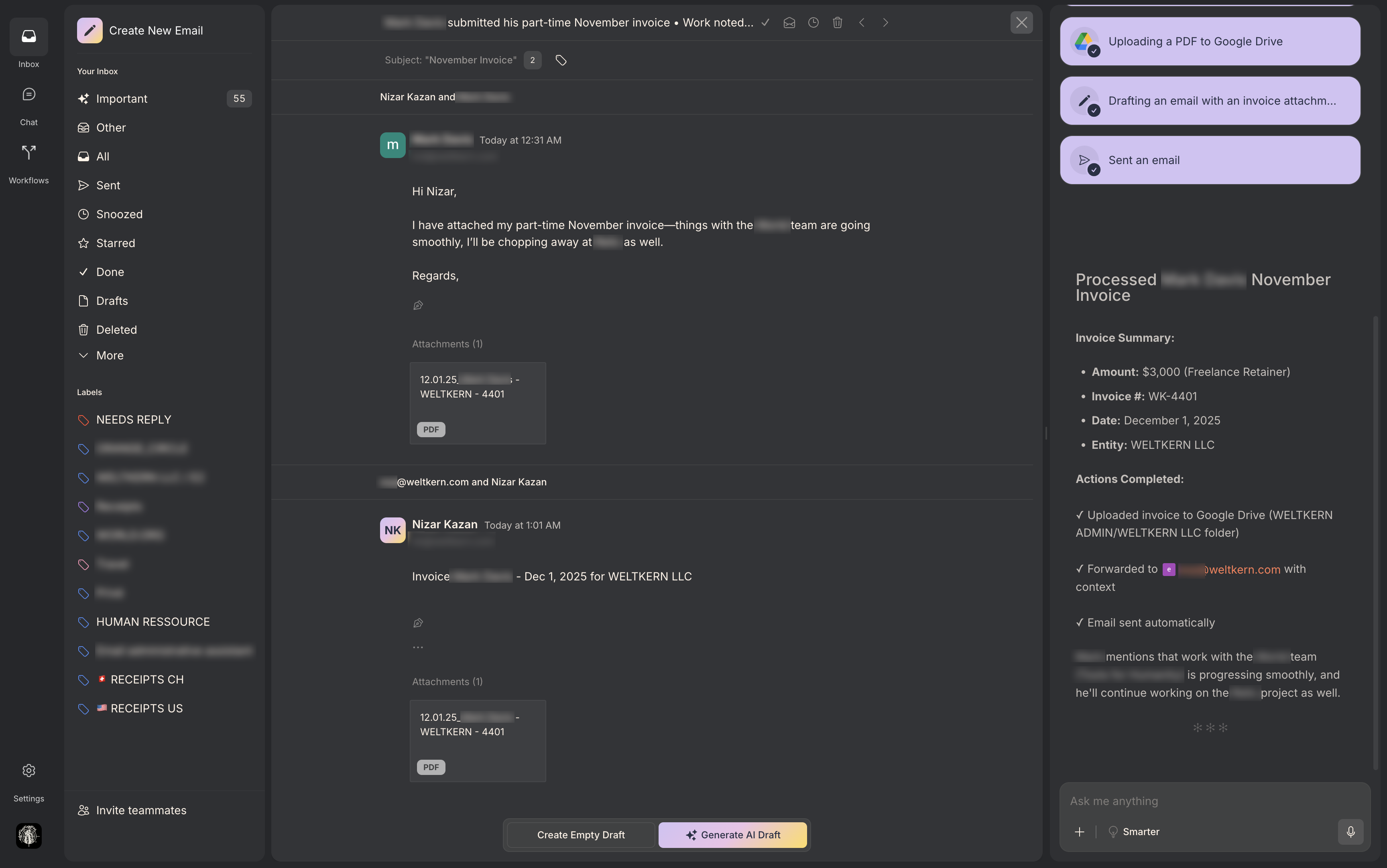
Inbox view handles the emails. Chat view is like a ChatGPT window connected to your entire email brain. I’ll add screenshots to show both.
Use Cases
1. Handling repetitive support questions
We get a lot of recurring support requests. Classic confusions or identical questions that come back weekly.
Jace understands the pattern, collects the relevant points and drafts the correct reply almost instantly.
My team doesn’t waste time repeating the same explanations. Most answers can be sent nearly as is.
2. Sorting invoices and receipts into the right place
This is one of my favorite features.
When a receipt or invoice arrives, Jace recognises it immediately and sorts it into the correct internal mailbox. No more manual tags or Gmail rules that break. Just clean organisation.
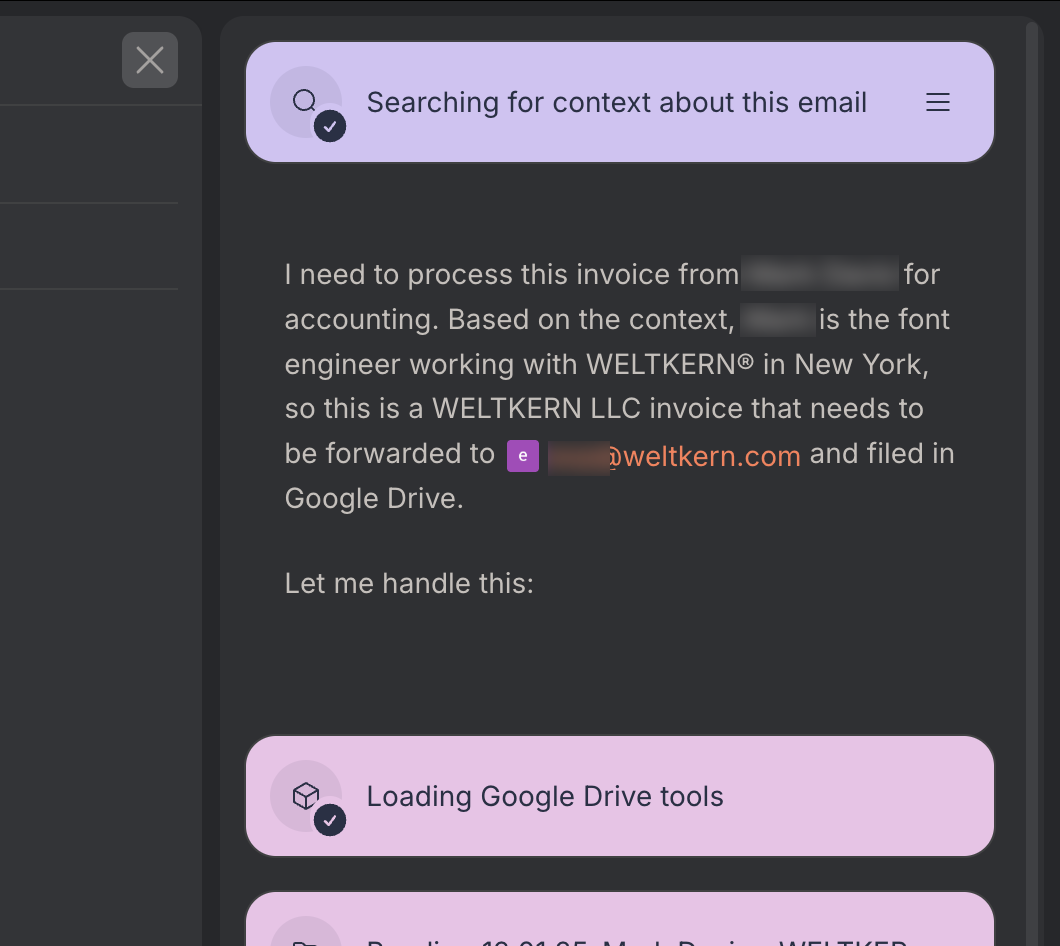
If a reply is needed, “draft reply” gives me a contextual message in my tone. If I want a nuance, I write it in the chat panel. The draft updates on the spot.
3. Finding, gathering and compiling documents into one PDF
When I need justificative documents, normally it’s a solid hour of searching, downloading, renaming and merging.
I asked Jace to handle it. It found everything across emails and attachments, compiled a clean PDF with a cover summary and attached it to the email I needed to send.
Seconds instead of an hour.
This is where the real time savings accumulate.
4. Asking anything about past conversations
This is where the Chat view shines. I can ask:
Where are we with this offer
Did we get a reply to the message we sent last week
What did we send exactly, and when
What is the latest status of a conversation spread over several threads
What did I promise, quote or confirm the last time
Can you Summarize this thread between “client X“ and “team member X“ (useful when I jump in later in the conversation).
And it answers with full context, something Gmail can’t do.
And beyond that, there are dozens more
Searching for a booking confirmation.
Asking for a full summary of a project spread across multiple threads.
Sending offers, with Jace automatically using the correct pricing because it already learned everything
Asking general questions not related to email at all.
Switching languages seamlesslyI often speak to it in French and it prepares the draft in English. When I receive something in German, it produces a summary for me in English. You can work entirely in French, English or any languages without friction.
The possibilities are honestly endless!!
Why I use it daily
It makes the inbox lighter and clearer.
It handles multiple accounts, which is essential for me.
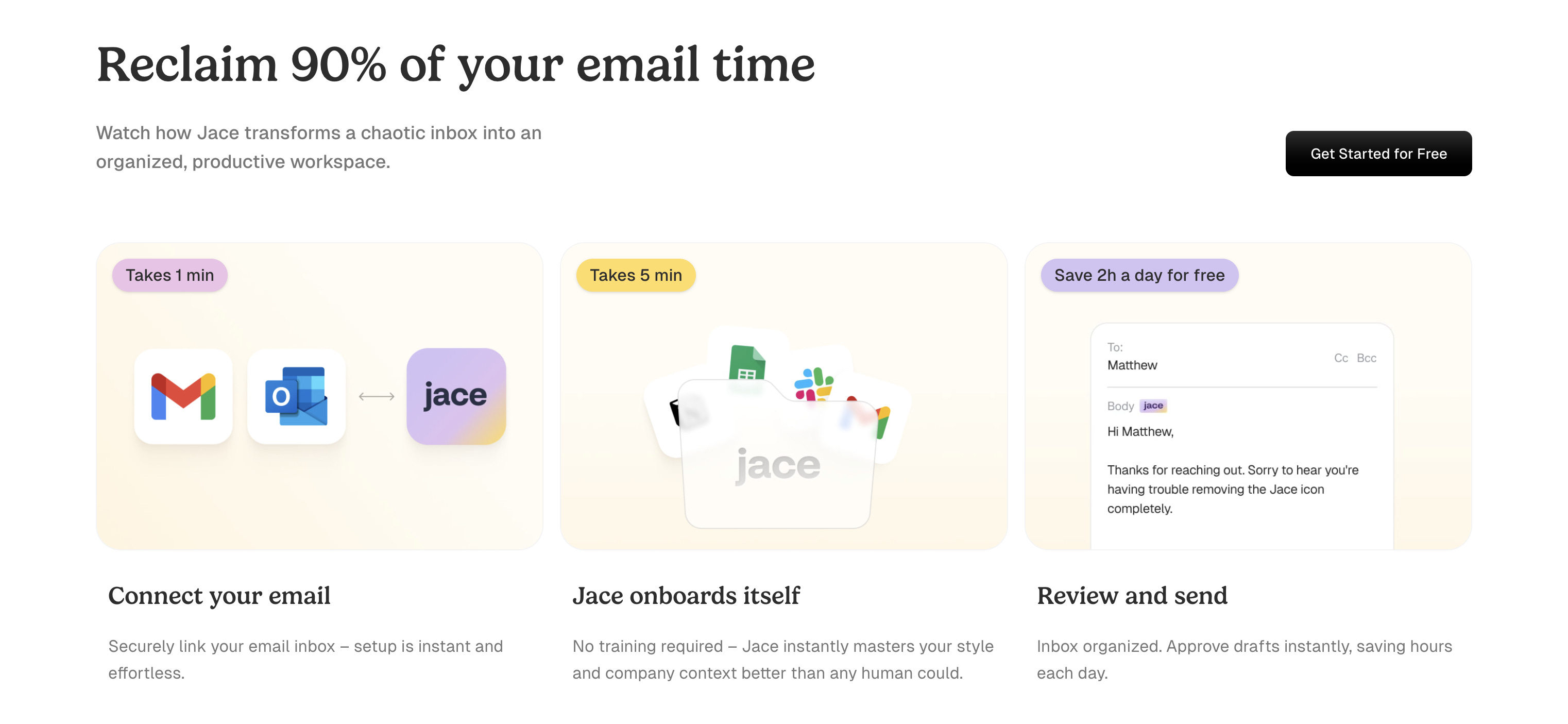
Setup takes five minutes.
And the team behind it improves the tool constantly. Every time I’ve sent feedback, they answered and fixed things quickly. Jace isn’t perfect, but it’s evolving fast in the right direction.
If you want to try it
If you use Gmail or Outlook, or if your domain forwards into one of them, just try it. The free version is enough to understand how it works.
For intensive use, the paid plans are worth it. The team gave me a code I can share:
Use the code CONNECTION10
for 10% off any plan.
I use it every day, the people around me use it, and it’s still massively underrated. Give it a chance and see how it fits your workflow.
Enjoy!
Nizar
